
Download Image To Pdf – Convert Picture to PDF Document – convert image to pdf, image to pdf, picture to pdf, batch image to pdf, offline image to pdf
Overview
The Image To Pdf – Convert Picture to PDF Document is a streamlined mobile utility designed to simplify the process of transforming digital images into professional PDF files. Tailored for users who need to digitize physical documents, organize scanned photos, or compile visual content into structured reports, this app addresses the common challenge of converting image-based data into universally accessible, printable, and shareable formats. It supports a range of image formats including JPG, PNG, BMP, GIF, and TIFF, ensuring broad compatibility with files captured across various devices and platforms.
Target users include students compiling visual study materials, professionals preparing presentation documents, and individuals managing personal records such as receipts, contracts, or certificates. The app’s ability to handle both single-image conversions and batch processing makes it suitable for both casual and frequent use. By enabling offline operation, it ensures data privacy and eliminates dependency on internet connectivity—ideal for users in low-connectivity environments or those prioritizing security.
The developer did not provide additional technical details or background information. However, the app’s focus on simplicity, efficiency, and privacy suggests a user-centric design philosophy. In the broader mobile productivity ecosystem, tools that enable seamless file transformation are increasingly essential, particularly as digital workflows expand across personal and professional domains. With no visible watermarks or file size restrictions, the app positions itself as a reliable, no-frills solution for image-to-PDF conversion.
Key Features & Functionality
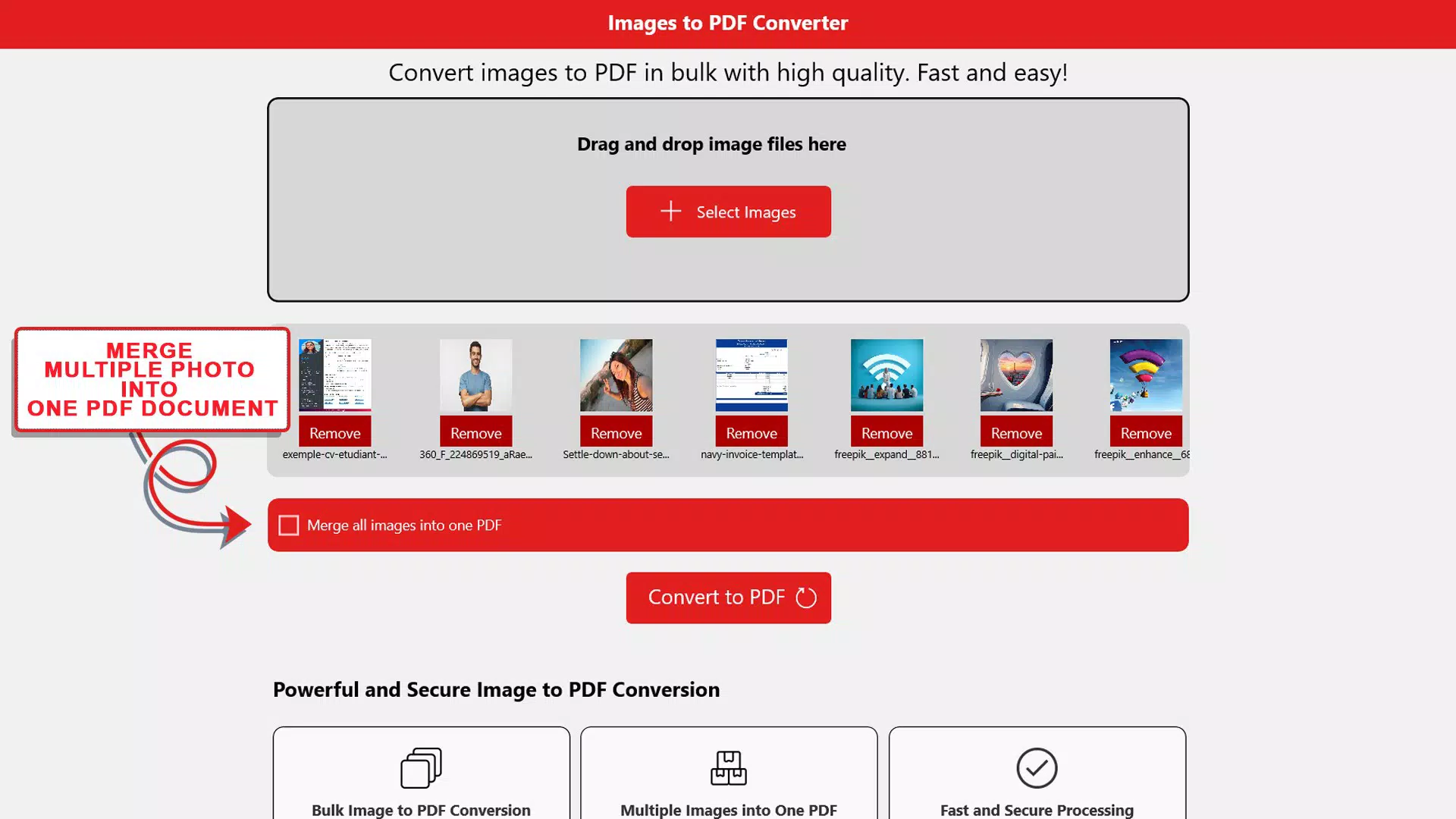
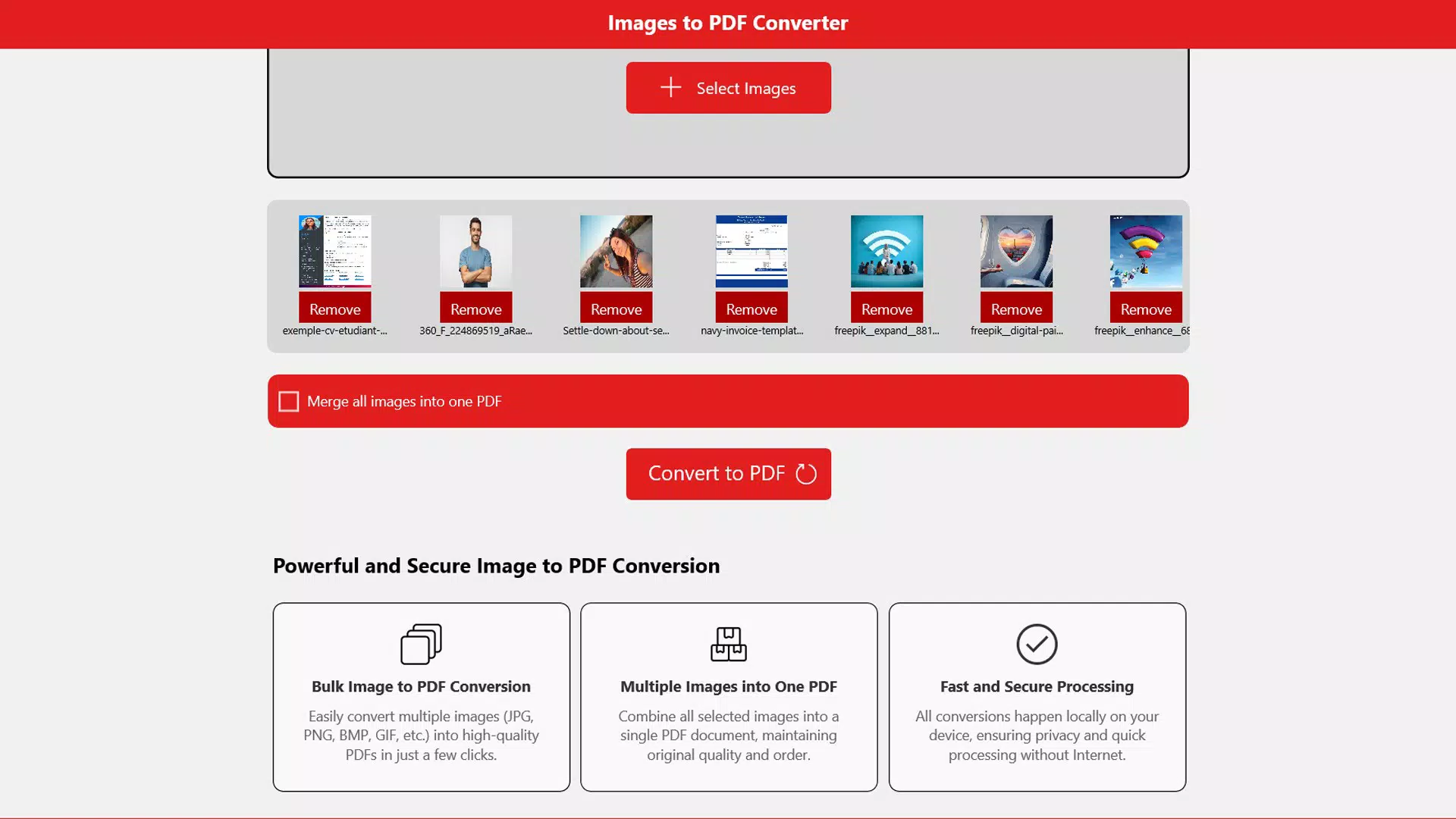
- Batch Conversion Capability: Users can select multiple images from their device’s gallery and convert them into a single PDF file in one operation. This is particularly beneficial when organizing a series of related documents, such as scanned pages of a manual or a collection of invoice images.
- Seamless Merging: The app allows users to combine several images into a cohesive PDF document in the desired order. This feature supports logical document structuring, making it ideal for creating digital portfolios, project summaries, or multi-page reports from individual visuals.
- Fast Offline Operation: All conversions occur locally on the device without requiring an internet connection. This ensures that sensitive data remains private and secure, eliminating risks associated with cloud-based processing.
- No Watermarks or File Size Limits: The app generates clean, professional-grade PDFs without adding any branding, logos, or watermarks. Additionally, there are no imposed restrictions on file size, allowing users to convert large or high-resolution images without compromise.
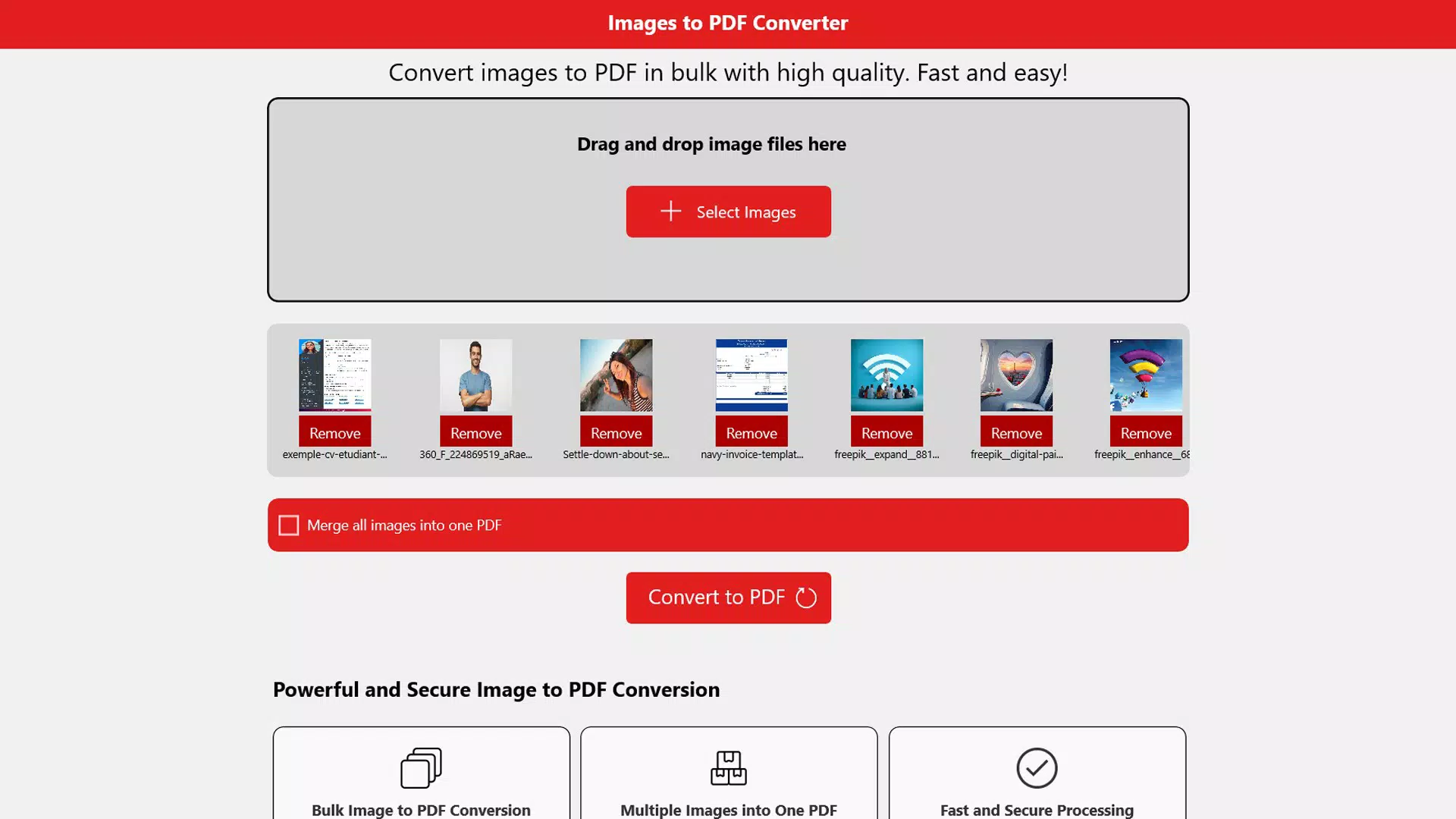
- User-Friendly Interface: The app features an intuitive drag-and-drop interface that simplifies the selection and management of images. Navigation is straightforward, with minimal onboarding required, making it accessible even to users with limited technical experience.
For example, a student could use the app to convert a set of handwritten notes into a single PDF for digital study. A small business owner might compile multiple product images into a PDF catalog. These real-world applications highlight the app’s practical value in everyday digital workflows.
Interface, UX & Performance
The user interface of Image To Pdf – Convert Picture to PDF Document is clean, minimalistic, and focused on core functionality. The layout prioritizes ease of access, with a central area for image selection and clear action buttons for initiating conversions. Visual feedback during the process—such as progress indicators and success notifications—enhances user confidence and reduces uncertainty.
Navigational flow is linear and intuitive: users select images, choose output settings if available, and initiate conversion with a single tap. The app maintains consistency in button placement and color usage, contributing to a smooth and predictable experience. Although the developer did not list formal performance metrics, the app’s ability to handle batch conversions suggests optimized processing logic.
Performance appears to be responsive across various device categories, including mid-range and high-end Android smartphones. The app runs efficiently within its 15.8 MB footprint, indicating low resource consumption. Stability during prolonged use and after multiple conversions has not been reported, but the absence of known issues suggests reliable operation. The app does not require background permissions or excessive battery usage, aligning with best practices for lightweight mobile utilities.
Platform Compatibility & Technical Requirements
The app is available exclusively on the Android platform, making it accessible to users of Android smartphones and tablets. It runs on devices with a minimum software version of 5.0 (Lollipop), ensuring compatibility with a wide range of current and legacy devices. The file size is 15.8 MB, which is relatively compact and suitable for quick installation even on devices with limited storage.
Although the developer did not specify minimum OS requirements beyond version 5.0, users should expect standard compatibility with modern Android hardware. The app does not require root access or special permissions beyond basic storage access for image retrieval. Specific requirements were not listed, and compatibility information was not fully disclosed beyond the stated OS version.
Pros and Cons
Pros
- Supports multiple image formats including JPG, PNG, BMP, GIF, and TIFF
- Enables batch conversion and merging of images into a single PDF
- Operates entirely offline, ensuring data privacy
- Free to download and use with no watermarks or file size limits
- Simple, intuitive interface suitable for users of all experience levels
Cons
- Platform availability is limited to Android only
- Developer did not provide detailed technical specifications
- No information on cloud sync or export options beyond local storage
- No visible support for editing PDF content after conversion
- Compatibility with older Android versions beyond 5.0 was not confirmed
FAQ
Is Image To Pdf – Convert Picture to PDF Document free to use?
Yes, the app is completely free to download and use. There are no in-app purchases, subscription fees, or hidden costs.
Can I convert multiple images at once?
Yes, the app supports batch conversion, allowing users to select and convert multiple images into a single PDF file simultaneously.
Does the app require an internet connection?
No, all conversions are performed offline. The app does not need an internet connection to function, which helps maintain user privacy.
Are there any file size or format limitations?
The app does not impose file size limits or restrict image formats beyond supported types such as JPG, PNG, BMP, GIF, and TIFF.
Is my data safe when using this app?
Yes, since the app operates offline and does not upload files to remote servers, your data remains on your device and is not shared with third parties.
Final Thoughts
Image To Pdf – Convert Picture to PDF Document delivers a focused, reliable solution for users seeking to convert images into professional PDFs without complexity or compromise. Its core strengths—offline functionality, batch processing, and zero watermarks—make it a standout choice among lightweight productivity tools. While it lacks advanced editing features or cross-platform availability, its simplicity and efficiency cater perfectly to users who value privacy and speed.
Whether you're digitizing receipts, organizing study notes, or compiling visual content, this app provides a secure, no-frills workflow. With a minimal footprint and a free price model, it offers strong value for everyday users and professionals alike.
Download Image To Pdf – Convert Picture to PDF Document now to streamline your document conversion process and take full control of your digital files.


